Completion & payment requests
Ask for payment while the panels are still shining
One tap sends the customer what was cleaned and the amount due, right after the photos. Reminders follow on fixed days, so you never chase by hand and never pester.
The problem
Chasing money is the worst part of the job
- You finish the clean, leave, and the payment conversation never happens.
- Reminding customers by hand feels awkward, so you don't, and balances grow.
- Some customers get reminded twice, others never.
- By month end nobody knows who still owes what.
With SunlightDesk
What changes
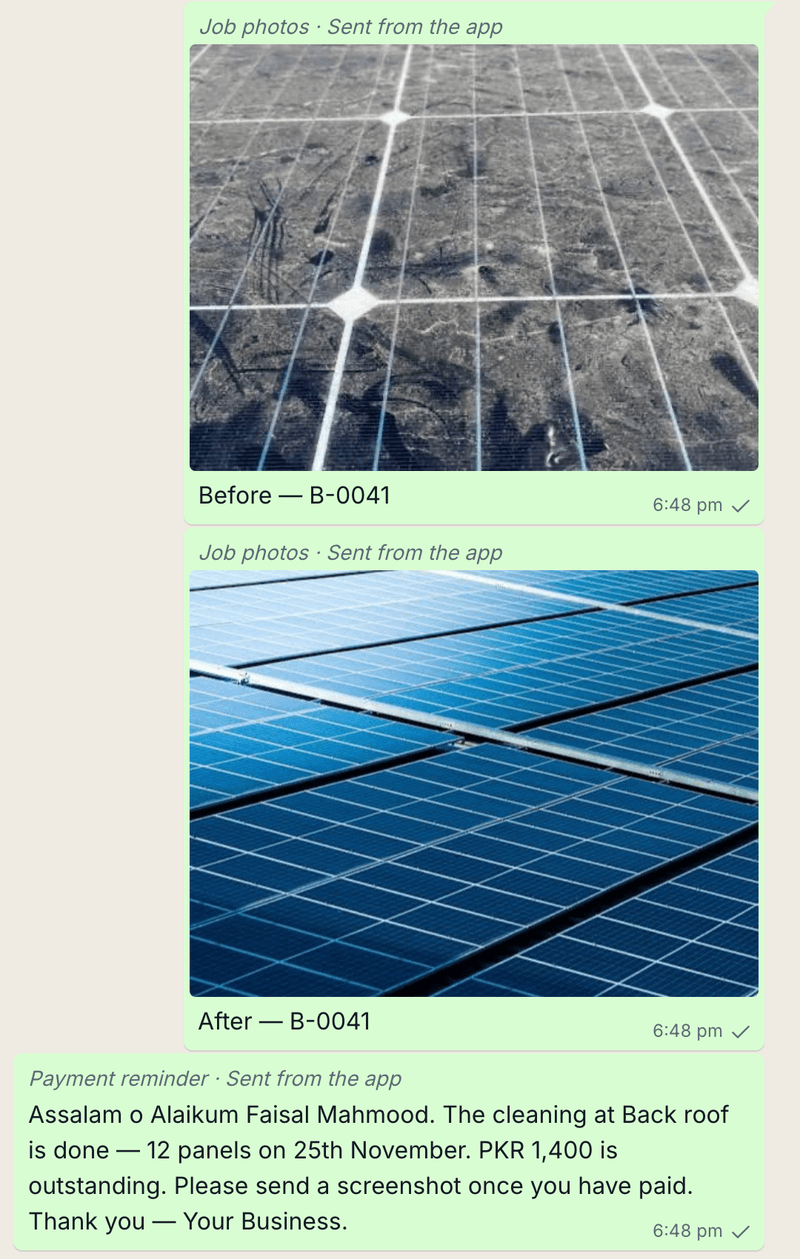
- The completion message names the site, the panels cleaned and the amount due, and asks for a screenshot.
- A reminder goes the day before an invoice is due, and at 7, 14 and 21 days overdue.
- You can send a whole-account reminder that lists the visits it's for.
- Fully paid visits get a "nothing outstanding" message instead.
How it works
- 1
Finish the visit. Send the photos, then one tap sends the completion message with the balance.
- 2
Let the reminders run. Before and after the due date, on the days you set in Settings.
- 3
Get the screenshot. The customer's payment screenshot lands in your queue to confirm.
Included
What you get with completion & payment requests
- Completion message with the amount due, or "nothing outstanding"
- Reminder the day before the due date
- Overdue reminders at 7, 14 and 21 days (you can change them)
- Whole-account reminder listing what it's for
- English and Roman Urdu versions of every message
On every plan, with everything else in SunlightDesk. No contract. Switch the assistant off for one customer or for everyone, any day. Your data stays yours, and if you ever stop, we hand it back.
Questions
What owners ask
Will reminders annoy customers?
They go on fixed days only, never daily: the day before the due date and on the overdue days you choose in Settings.
Can it go out in Roman Urdu?
Yes. Every message has an English and a Roman Urdu version, written and approved in both; English is the default.
See it in 15 minutes
Message us on WhatsApp. We'll show you a new enquiry going from the first message to "yes", using your own prices, and answer anything about your business.
No contract. Switch it off any day. Your data stays yours.