Morning overview
Know what needs you before your first chai
One screen that lists what needs your attention today and how the month is going, compared with the same days last month.
The problem
Problems surface too late
- You find out about an unassigned visit when the customer calls.
- A payment screenshot sits unchecked for days.
- A customer who said yes is never called back.
- You can't tell if this month is better or worse than last.
With SunlightDesk
What changes
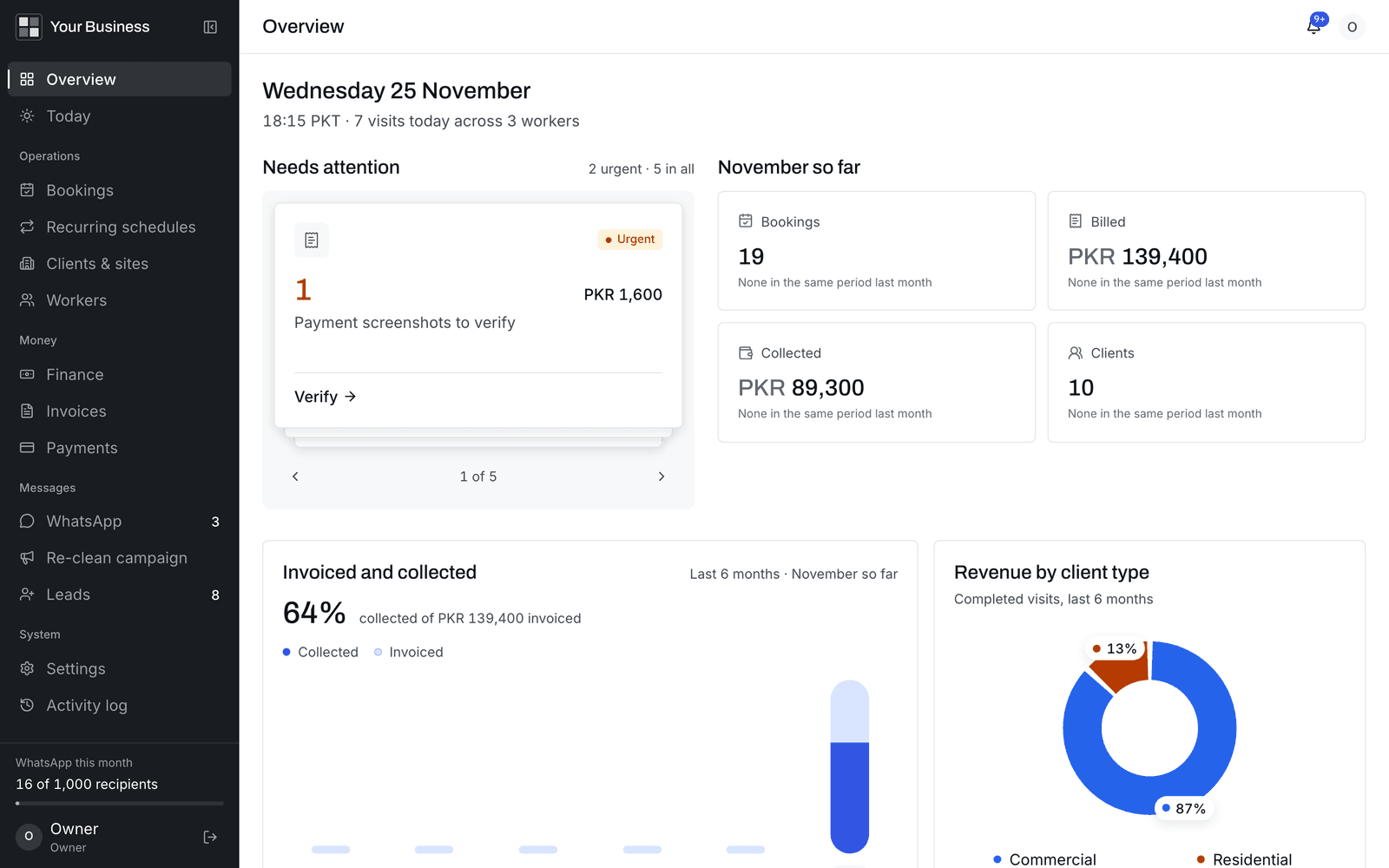
- Needs attention: unassigned visits, screenshots to verify, leads who said yes, overdue invoices, failed messages and more.
- Bookings, billed, collected and clients for the month so far.
- Each compared with the same days of last month.
- Charts for invoiced vs collected, revenue by client type and worker load.
How it works
- 1
Open SunlightDesk. The overview is the first screen.
- 2
Clear the cards. Each item opens exactly the visits, payments or leads it counts.
- 3
Check the month. See whether bookings and collections are ahead of last month.
Included
What you get with morning overview
- Unassigned visits, screenshots to verify, leads who said yes
- Visits never marked complete, unconfirmed recurring visits
- Overdue invoices, failed WhatsApp messages, salaries due
- Month so far vs the same days last month
- Invoiced vs collected, revenue by client type, worker load
On every plan, with everything else in SunlightDesk. No contract. Switch the assistant off for one customer or for everyone, any day. Your data stays yours, and if you ever stop, we hand it back.
Questions
What owners ask
Is it the same for everyone in the office?
Yes. Everyone sees the same overview, so the whole office works from one list.
See it in 15 minutes
Message us on WhatsApp. We'll show you a new enquiry going from the first message to "yes", using your own prices, and answer anything about your business.
No contract. Switch it off any day. Your data stays yours.